
PDF to Picture Format Cheat Sheet
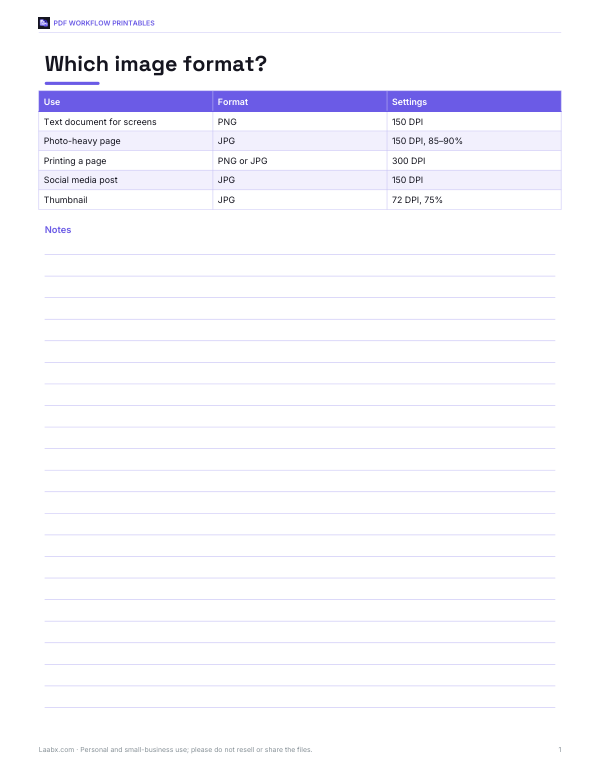
This one-page format cheat sheet is for anyone converting a PDF to pictures and deciding between PNG and JPG. It has a simple chart with columns for Use, Format, and Settings, plus example rows for a text document for screens, a photo-heavy page, and a printing page. The settings shown include 150 DPI, 85–90% quality, and 300 DPI where needed.
Free printable · PDF
- 1 page
- US Letter — choose “Fit to page” for A4
- PDF, 52 KB
Free for personal, family and classroom use.
Need to edit it? The full pack has the editable Excel and Word files plus all 4 sheets — $5.00, one-time.
Your free PDF is downloading. Want all 4 sheets in one download, plus the editable Excel and Word files so you can change the text?
Instant download · 7-day refund · Secure checkout by Stripe
Use it as a quick reference before exporting pages from a PDF. Match the document type to the suggested format and settings, then apply the row that fits your project so the picture output is clear for screen use or print use.
Good for
- Choose PNG or JPG for screen pages
- Set DPI for photo-heavy exports
- Check print settings before conversion
Tip: Print it and keep it near your scanner or export settings so you can pick the right format fast.
4 files · PDF, XLSX, DOCX
Get every sheet: PDF Workflow Printables
This sheet plus 3 more in one download, with the editable Excel and Word files. Printable document workflow kit: a PDF conversion settings cheat sheet, image size and DPI reference, a document review checklist and a file naming guide.
$5.00 USD, one-time 4 files · about $1.25 each
- Instant download
- 7-day refund
- Secure checkout by Stripe
7-day money-back guarantee. Full refund within 7 days of purchase, even after you download.
More free printables
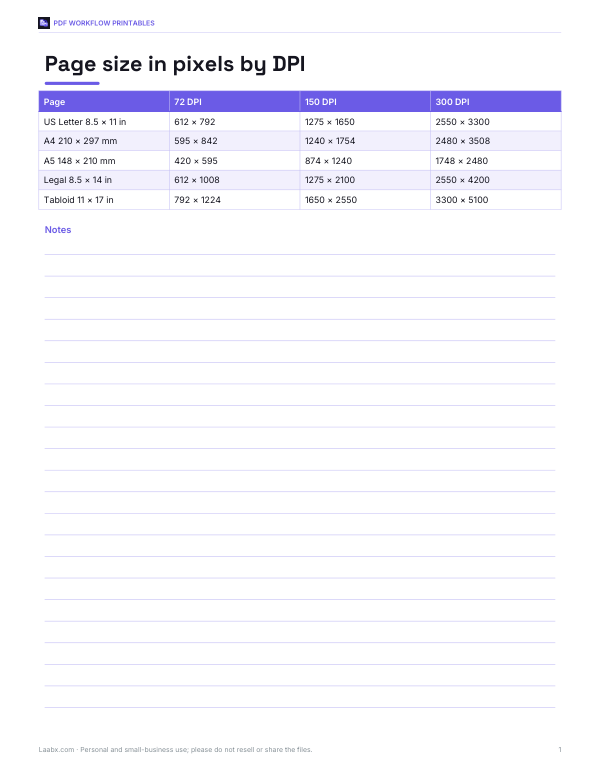 Printable DPI Reference Chart1 page · free PDF
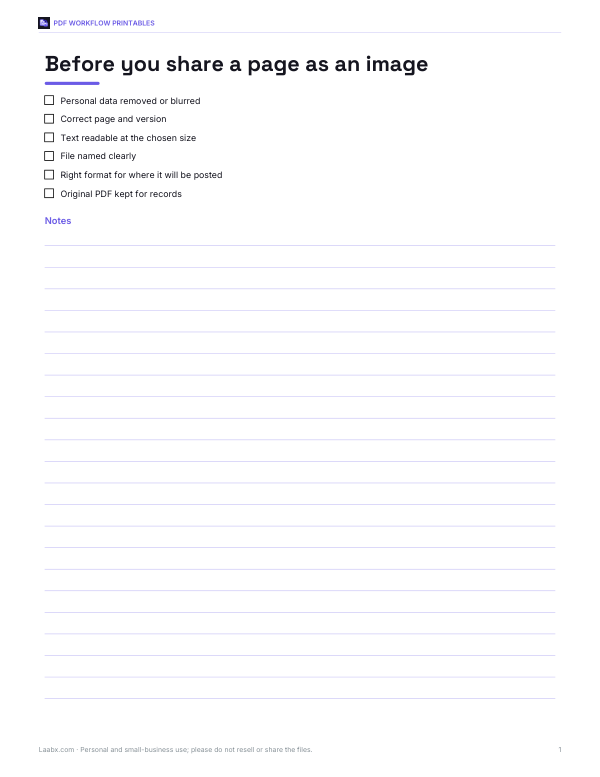 Printable Review ChecklistCheck a page before sharing it as an image with this one-page review checklist for PDF to picture workflow.1 page · free PDF
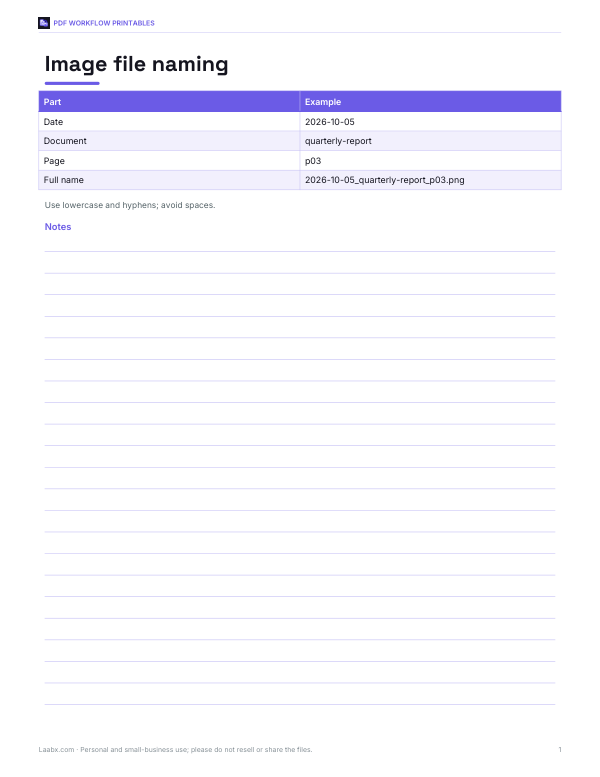 PDF Image File Naming GuideA one-page guide for naming PDF image files with clear examples for date, document, and page fields plus simple lowercase and hyphen rules.1 page · free PDF